
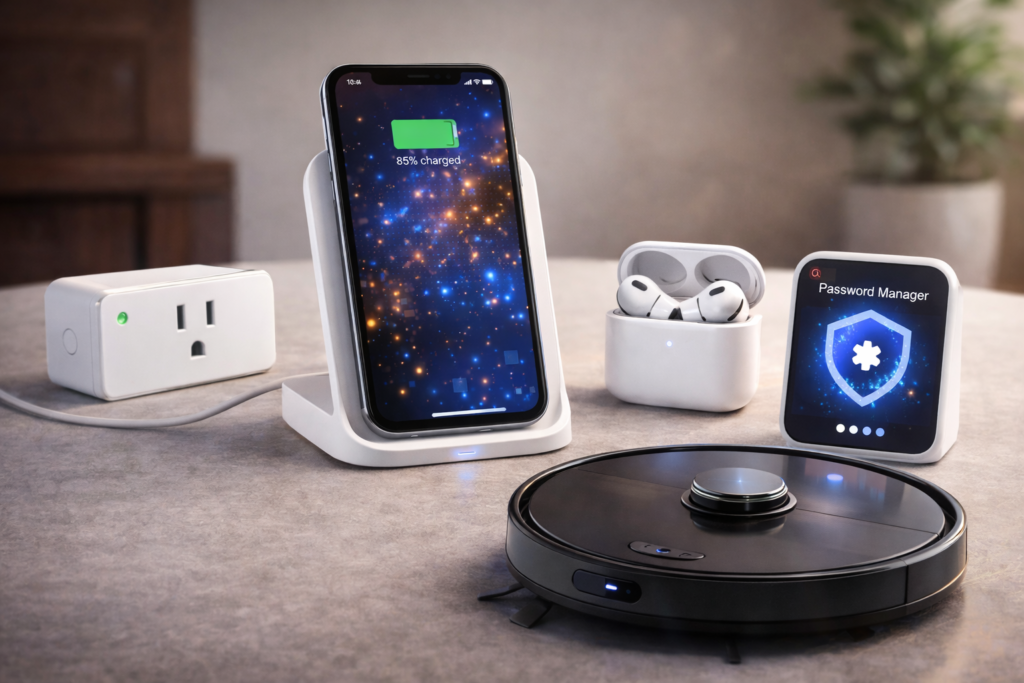
Some tech products make a big impression right away. Others sound unnecessary, boring, or like solutions to problems you don’t really have – until you try them. These are the latter. We talked about it in “10 Cool Tech Trends You’ll Actually Use in 2026“.
None of the products below felt essential at first. But after using them for a while, they quietly became part of my daily routine. That’s usually the best kind of tech.
1. Smart plug
A smart plug looks almost too simple to be useful. It just sits between an outlet and your device — but it unlocks automation with almost no effort.
What it’s good for
- Lamps and lighting schedules
- Space heaters or fans with auto shut-off
- Holiday lights
- Turning “dumb” devices into smart ones
Typical price range
- $10–$20 per plug
- $25–$40 for multi-packs
Buying tips
- Look for support for your existing ecosystem (Google Assistant, Alexa, Apple Home)
- Avoid plugs that require a subscription
- Choose compact models so they don’t block nearby outlets
Why it stuck
It removes dozens of tiny daily decisions — and that adds up fast.
2. Wireless charging stand
I avoided wireless charging for years. A charging stand finally made it click. Instead of laying flat, your phone stays upright and visible while charging.
What it’s good for
- Desk or bedside charging
- Quick top-ups during the day
- Reducing cable clutter
Typical price range
- $20–$35 for reliable basic models
- $40–$70 for faster or multi-device stands
Buying tips
- Check charging wattage compatibility with your phone
- Look for weighted bases so the stand doesn’t tip
- Avoid ultra-cheap models with poor heat management
Why it stuck
It’s not faster — it’s frictionless.
3. Noise-canceling earbuds
I thought noise cancellation was only useful for flights. Turns out it’s helpful almost everywhere.
What it’s good for
- Focus while working from home
- Calls in noisy places
- Reducing background stress without music
Typical price range
- $80–$120 for good mid-range models
- $150–$250+ for more premium options
Buying tips
- Mid-range models are often “good enough” now
- Look for transparency/ambient modes
- Battery life matters more than max noise cancellation for daily use
Why it stuck
You don’t realize how noisy daily life is until it isn’t.
4. Password manager
A password manager sounds boring — until you stop resetting passwords forever.
What it’s good for
- Generating strong, unique passwords
- Autofilling logins instantly
- Securing sensitive accounts
Typical price range
- Free (basic use on one device)
- $20–$40 per year for full multi-device access
Buying tips
- Choose one with cross-platform support
- Make sure it offers secure password sharing if needed
- Don’t skip two-factor authentication
Why it stuck
It removes both security anxiety and login friction.
5. Robot vacuum
Robot vacuums aren’t perfect — and that’s fine. They’re about consistency, not deep cleaning.
What it’s good for
- Daily maintenance cleaning
- Pet hair and dust control
- Reducing how often you vacuum manually
Typical price range
- $200–$350 for basic, reliable models
- $400–$700+ for mapping, mopping, and smart features
Buying tips
- Mapping features are worth paying extra for
- Avoid ultra-cheap models with random navigation
- Check replacement filter and brush costs
Why it stuck
Clean floors with almost no effort is hard to give up.
What all these products have in common
They don’t try to impress you. They reduce friction, save mental energy, and quietly improve daily routines.
That’s usually a better indicator of value than specs or flashy features.
How to buy smarter tech
Before buying ask yourself
- Will I use this every week?
- Does it save me time / effort?
- Does it work quietly in the background?
- Will it still be useful in two years?
If yes, it’s probably worth it.
Final thoughts
The best tech products are the ones you stop noticing — because life just gets a little easier with them around.
If a device fades into the background and quietly removes small annoyances, that’s usually a sign you didn’t know you needed it.