
I spent 3 years building of what I thought would be the perfect smart home. Smart lights in every room, automated blinds, a whole ecosystem of connected devices that would make my life effortlessly convenient. The reality? I created a house that was often more frustrating than the “dumb” home I started with.
Lights that wouldn’t respond when I needed them most. Automations that triggered at the wrong times. A collection of apps I had to manage just to turn on the coffee maker. My partner constantly asking why simple things had become complicated. The smart home dream had turned into a daily source of small irritations that added up to genuine regret.
Here’s what I’ve learned after making nearly every smart home mistake possible and how you can avoid the same expensive, frustrating path I took.
Mistake 1: Buying Devices Before Planning the System
The most common way people start with smart home tech is also the worst: they buy whatever seems cool or goes on sale, then figure out how it all works together later.
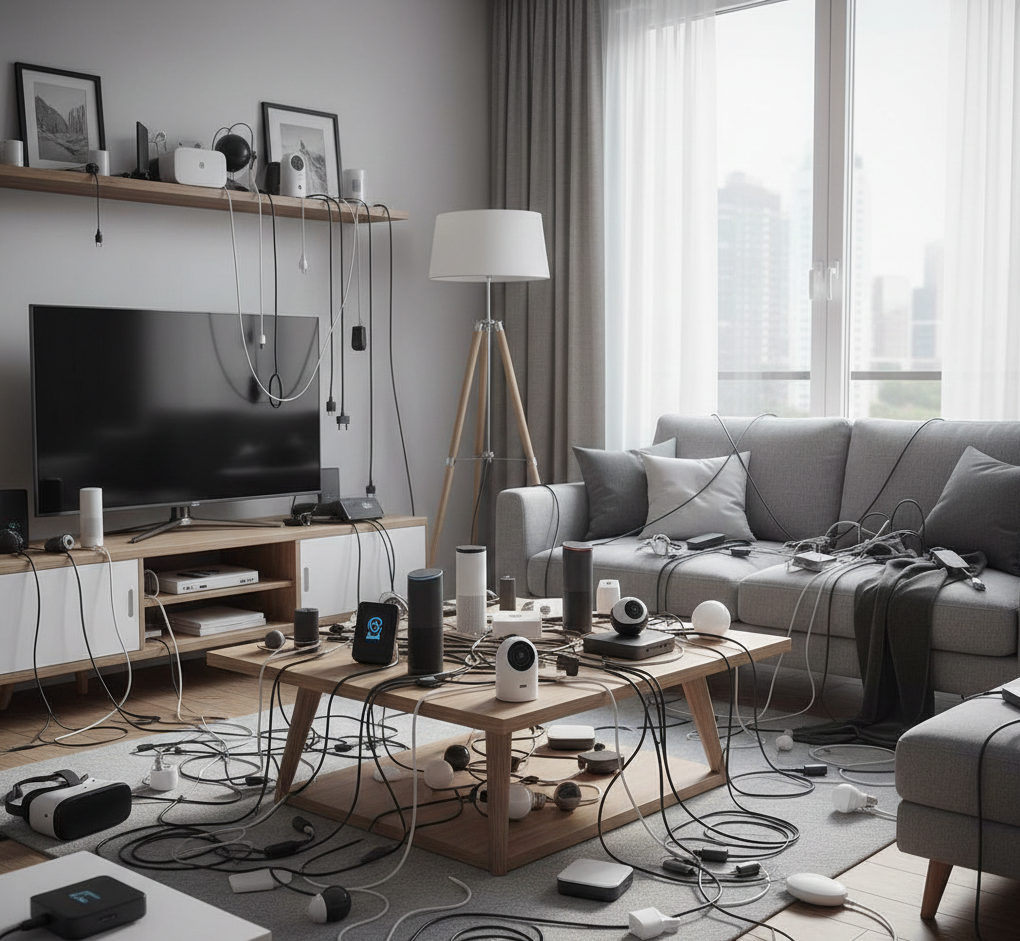
I did exactly this. A smart speaker because it was on Prime Day – been there. Smart bulbs because a friend recommended them. A video doorbell because I saw a compelling ad. Each purchase made sense individually. Together they created chaos.
The problem with this approach is that smart home devices need to work as a system, not a collection of gadgets. When you buy randomly, you end up with devices that use different protocols, require different apps and can’t communicate with each other. You end up managing six apps to control a house that should be simpler to operate.
How to avoid it: Before buying anything, decide on an ecosystem. Pick Google Home, Apple HomeKit, Amazon Alexa, or Home Assistant as your foundation. Then only buy devices that work well within that ecosystem. Yes, this limits your choices. That limitation is actually good — it prevents you from accumulating incompatible devices that will frustrate you later.
Start with a clear picture of what you actually want your smart home to do. Do you want voice control throughout the house? Automated lighting based on time of day? Security monitoring when you’re away? Remote access to heating and cooling? Write down your actual goals before browsing product pages.
Mistake 2: Assuming “Smart” Means “Better”
Not everything benefits from being connected and automated. Some things work better when they’re simple and reliable.
I learned this the hard way with smart light switches. In theory, they’re brilliant—control lights from your phone, set schedules, integrate with other systems. In practice, when the internet goes down or the hub loses connection, you can’t turn on the lights with the physical switch anymore. What was a simple, reliable action becomes dependent on multiple systems all working correctly.
My lowest point was standing in a dark hallway, phone in hand, trying to troubleshoot why the lights wouldn’t respond to voice commands while my old-fashioned flashlight sat uselessly in a drawer I couldn’t see to open.
How to avoid it: Be selective about what you make smart. Some things should remain simple and reliable because you need them to work every single time without exception. Regular light switches in bedrooms and bathrooms, for instance, should probably stay regular. The convenience of automation isn’t worth the frustration when basic functionality fails.
Good candidates for smart upgrades: things you already control remotely or on timers (thermostats, sprinklers), things that benefit from scheduling (outdoor lights, coffee makers), things where remote monitoring adds real value (security cameras, door locks). Bad candidates: anything where reliability matters more than convenience, or anything that’s already effortless to control manually.
Mistake 3: Relying Entirely on Cloud Services
Most smart home devices require cloud connectivity to function fully. They talk to servers owned by the manufacturer, process commands remotely, and stream data over the internet. This seems fine until those servers go down, get discontinued, or the company goes out of business.
I had a set of smart plugs that became completely useless when the manufacturer shut down their cloud service. Not degraded functionality—completely useless. Expensive power outlets that couldn’t be controlled at all because they required cloud authentication that no longer existed.
How to avoid it: Prioritize devices and systems that work locally whenever possible. Look for products that advertise local control or local processing. Home Assistant, Hubitat, and similar platforms let you control devices without sending every command to the cloud.
This doesn’t mean avoiding cloud features entirely—cloud connectivity enables useful capabilities like remote access and voice assistants. But your basic smart home functions (turning on lights, adjusting temperature, checking security cameras) should work even when your internet is down.
Read the fine print about what happens if the company discontinues the service. Increasingly, there are examples of smart home companies shutting down and bricking expensive hardware. Devices with local control options will outlast devices that are entirely cloud-dependent.
Mistake 4: Underestimating Network Requirements
Smart home devices are network devices. They need WiFi, they consume bandwidth, and they create traffic on your network. Most people don’t realize how much network infrastructure a serious smart home requires until things start getting unreliable.
My wake-up call came when I had about thirty smart devices and started experiencing constant dropouts and sluggish responses. My router, which had been fine for regular internet use, was completely overwhelmed by the number of connections and the constant chatter between devices.
How to avoid it: Invest in your network infrastructure before investing heavily in smart devices. You need a router that can handle many simultaneous connections—consumer routers typically struggle beyond about twenty devices. If you’re planning a house full of smart gadgets, budget for a proper mesh network or multiple access points.
Consider putting smart home devices on a separate network from your phones and computers. This isolation improves both performance and security. Many newer routers support creating a separate guest network or IoT network that keeps smart devices segregated.
Wired connections are more reliable than wireless whenever feasible. Smart hubs, displays, and any device that stays in one place should use ethernet if possible. Save WiFi for truly mobile devices and things that must be wireless.
Mistake 5: Ignoring Security Until It’s Too Late
Smart home devices are internet-connected computers sitting in your house, often with cameras and microphones. Many have terrible security. Default passwords, unencrypted communications, vulnerabilities that never get patched—the smart home security landscape is genuinely concerning.
I didn’t think much about security until I found my security camera feed accessible on a public website that indexed unprotected cameras. Someone had been able to view my living room because I never changed the default password. That was a wake-up moment.
How to avoid it: Change every default password immediately. Use a password manager to generate and store strong, unique passwords for each device and service. Enable two-factor authentication wherever it’s available.
Keep firmware updated. Most people never update their smart devices, leaving known vulnerabilities unpatched forever. Set calendar reminders to check for updates quarterly if devices don’t update automatically.
Research the security reputation of manufacturers before buying. Companies with a history of security problems or slow patch releases should be avoided. Established brands with dedicated security teams are worth the premium.
Consider what data each device collects and where it goes. A smart light bulb probably doesn’t need to know your email address or location. Be suspicious of devices that require permissions or data that seem unrelated to their function.
Mistake 6: Creating Automations That Nobody Understands
Automations are the promise of smart homes—things that happen automatically without you needing to do anything. They’re also where many smart homes become incomprehensible nightmares.
I built increasingly complex automations: lights that changed based on time of day, weather, and who was home. Heating that adjusted based on weather forecasts and calendar events. Blinds that opened and closed based on sun position and indoor temperature. Each automation made sense to me when I created it.
Six months later, I couldn’t remember why the living room lights turned purple at sunset on Tuesdays. My partner had no idea why the thermostat sometimes ignored manual adjustments. We’d created a house with invisible rules that nobody could predict or understand.
How to avoid it: Keep automations simple and predictable. If you can’t explain why something happens in one sentence, it’s too complex. The best automations are obvious: lights turn on at sunset, heat adjusts when you leave for work, doors lock at bedtime.
Document your automations. Keep a simple list of what triggers what and why. When something stops making sense, you’ll have a reference instead of trying to reverse-engineer your own logic from months ago.
Make sure automations can be easily overridden manually. If someone adjusts the temperature manually, the automation shouldn’t immediately change it back. Manual control should always take priority over automation.
Involve everyone who lives in your home in automation decisions. An automation that makes sense to you but confuses everyone else will get disabled or worked around. Smart home automation should make everyone’s life easier, not just the person who set it up.
Mistake 7: Buying Based on Sales Instead of Needs
Smart home gadgets go on sale constantly. It’s tempting to buy devices at 50% off even when you don’t have a clear use for them. I accumulated a drawer full of smart home devices bought on sale that I never actually installed because I realized they didn’t solve any real problem I had.
How to avoid it: Buy devices to solve specific problems you currently have, not hypothetical future problems. Are you constantly forgetting to turn off lights when you leave? Then smart lights might make sense. But if you’re just buying them because they’re on sale and seem cool, you’re likely wasting money.
Wait at least a week after seeing a device before buying it. If you still remember what problem it was supposed to solve and still want it a week later, it might actually be useful. If you’ve forgotten about it, it was impulse temptation, not a real need.
Calculate the true cost including accessories. A discounted smart light might seem cheap until you realize you need a hub, which requires mounting hardware, which works better with additional sensors. The $15 sale device becomes a $150 system.
Mistake 8: Expecting Everything to Work Perfectly Together
The smart home industry loves the word “ecosystem,” but the reality is that very few devices truly work seamlessly together, even within the same ecosystem. You’ll encounter incompatibilities, missing features, and quirks that require workarounds.
I expected my Google Home devices to work perfectly with everything labeled “Works with Google Home.” The reality was more complicated—some integrations were excellent, others were barely functional, and many required third-party services or additional configuration to work at all.
How to avoid it: Research specific device combinations before assuming they’ll work together. Don’t trust marketing claims—find actual user reviews and forums discussing the specific devices you’re considering. Real-world experiences reveal incompatibilities that official documentation glosses over.
Accept that you’ll need to become a bit of a tinkerer. Even the best smart home setups require occasional troubleshooting and configuration adjustments. If you want something that just works without ever needing attention, smart home tech isn’t there yet.
Have backup plans for core functions. If your smart lock fails, you should still be able to get into your house. If your smart thermostat glitches, you should still be able to control heating manually. Never make yourself dependent on smart features for critical functions.
Mistake 9: Forgetting About the People Who Live With You
The biggest mistake I made wasn’t technical—it was social. I built a smart home that worked great for me and frustrated everyone else who lived there.
My partner didn’t want to use voice commands or open an app to turn on lights. My parents visiting couldn’t figure out how to adjust the temperature. Kids couldn’t reliably open the smart lock when coming home from school. I’d optimized for my preferences and created barriers for everyone else.
How to avoid it: Design your smart home for the least technical person who lives there or regularly visits. If your grandmother can use it, you’ve probably got the complexity level right.
Maintain simple, obvious manual controls alongside smart features. Physical light switches that work normally. A thermostat with actual buttons. Door locks with regular keys. Smart features should enhance these controls, not replace them.
Get buy-in from everyone before making changes. If your partner thinks smart lights are pointless, they’re not going to magically become convenient once installed. Either convince them of the value first, or accept that it’s not worth doing.
Remember that what feels effortless to you might feel like extra work to someone else. Voice commands only feel natural if you’re comfortable talking to devices. App controls only feel convenient if you always have your phone handy. Design for diverse preferences and comfort levels.
What Actually Works
After years of mistakes, I’ve settled into a smart home setup that’s genuinely useful without being frustrating. It’s much simpler than my initial vision, but it works reliably and makes daily life better.
I use smart thermostats because they save energy and I never have to think about adjusting temperature. Smart locks because I genuinely forget to lock doors and remote locking provides peace of mind. Outdoor lights on timers because coming home to a dark house was annoying. Security cameras with local storage because the security value is real and worth the privacy tradeoff.
What I removed: smart switches in most rooms (regular switches are simpler), most voice-controlled gadgets (talking to devices felt silly and wasn’t faster), complex automations (simple schedules work better), and anything that required cloud services from companies I didn’t trust to stay in business.
The result is a home that’s slightly smarter than it was, but not so smart that it gets in the way of living. Technology should fade into the background, making things easier without demanding attention. That’s the goal most smart home enthusiasts lose sight of in their pursuit of automation and integration.
The Bottom Line
Smart home technology can genuinely improve your life, but only if you approach it thoughtfully and avoid the common pitfalls that turn convenience into complexity.
Start small, plan carefully, prioritize reliability over features, and always remember that the goal is making your home better to live in, not creating an impressive technology showcase. The best smart home is one you barely notice because everything just works the way you want it to, without fuss or frustration.
Your home should work for you, not the other way around. Keep that principle in mind, and you’ll avoid most of the mistakes that plague smart home enthusiasts.
Related article: Smart home devices that are worth buying (and those that aren’t)