
Remember when “AI in your IDE” meant glorified autocomplete? Those days are over. With Google integrating Gemini directly into Android Studio, we’re seeing a fundamental shift in how AI assistants understand and interact with our development workflow. This isn’t about better code completion—it’s about having a tool that actually understands the Android ecosystem from the ground up.
I’ve been using Android Studio with Gemini integration for several months now, and it’s changed how I approach certain parts of my day-to-day work in ways I didn’t expect. Not everything is revolutionary, and not everything works perfectly, but some changes are genuinely making me more productive. Here’s what’s actually different.
Context That Goes Beyond Your Current File
The biggest shift is how these integrated tools understand your entire project, not just the file you’re editing. When Gemini suggests a solution, it’s aware of your Gradle configuration, your dependency versions, your manifest settings, and your existing architecture patterns.
This matters more than it sounds. I was recently debugging a Room database migration issue, and instead of the generic “here’s how Room migrations work” response I’d get from a general AI tool, Gemini pointed out that my migration strategy conflicted with a specific dependency version I was using. It had seen my build.gradle file and connected the dots.
This kind of project-wide awareness changes the quality of assistance. It’s the difference between getting textbook answers and getting answers that apply to your actual codebase.
Android-Specific Knowledge Built In
Here’s where native integration really shines: Gemini in Android Studio knows Android. Not in a “trained on Stack Overflow posts” way, but in a “understands the actual framework, Material Design guidelines, and Android best practices” way.
When you ask about implementing a feature, it doesn’t just suggest code—it considers whether you should use a Fragment or Composable, whether WorkManager or a foreground service is appropriate, and what the battery implications might be. It knows that certain APIs require specific permissions, that some features need minSdk declarations, and that Google Play has policies you need to consider.
For mobile developers specifically, this specialized knowledge cuts through a lot of noise. You’re not filtering generic programming advice through a mobile lens— you’re getting mobile-first suggestions from the start.
The Manifest and Gradle Files Finally Get Love
One underrated improvement: AI that actually helps with your manifest and Gradle files. These files are crucial but often frustrating to work with, full of obscure configuration options and dependency conflicts that are hard to reason about.
I’ve used Gemini to help resolve dependency version conflicts, suggest appropriate permission declarations, and even optimize my Gradle build configuration. These aren’t glamorous tasks, but they’re time-consuming, and having intelligent assistance here saves real hours over the course of a project.
The tool can explain why certain permissions require specific SDK versions, suggest ProGuard rules for new libraries you’ve added, or help you understand why your build is failing with cryptic error messages. It’s the kind of unglamorous help that actually matters day-to-day.
Jetpack Compose Gets First-Class Treatment
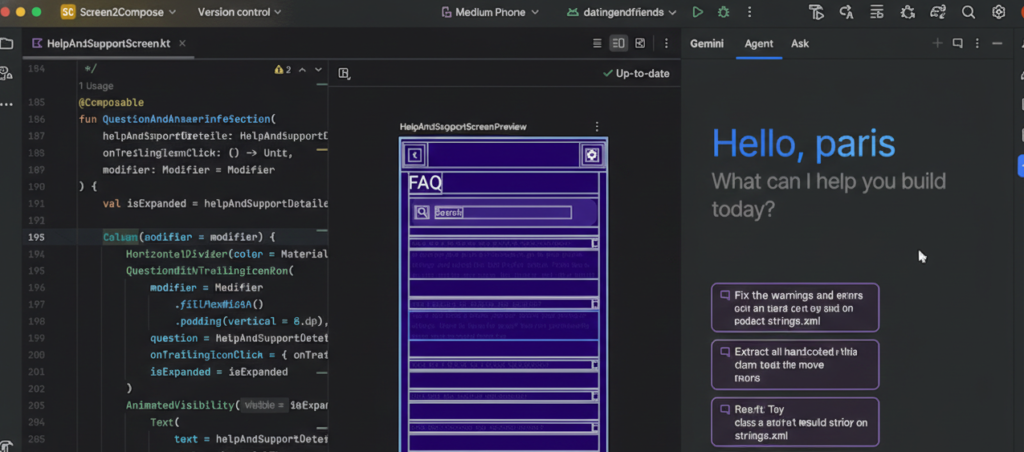
If you’re building with Compose—and let’s be honest, most new Android projects are—having an AI that truly understands the Compose paradigm is game-changing. Gemini doesn’t just translate imperative View-based patterns into Compose; it thinks in Compose from the start.
It understands state hoisting, recomposition, side effects, and when to use remember versus rememberSaveable. It can suggest how to structure your Composables for better performance, warn you about potential recomposition issues, and help you implement complex layouts using Modifier chains correctly.
This feels different from general AI tools that might know Compose syntax but don’t really understand the mental model. The suggestions feel like they come from someone who actually builds Compose UIs daily.
Real-Time Learning About New APIs
Android’s platform evolves constantly. New Jetpack libraries, updated Material Design components, changes to background task handling, new privacy requirements—keeping up is exhausting. One of the more subtle benefits of integrated AI is that it helps you stay current.
When you’re using an older API that now has a better alternative, Gemini can suggest the modern approach. When you’re about to implement something manually that a new library handles elegantly, it can point you in the right direction. It’s like pair programming with someone who just attended all the Google I/O sessions you missed.
This doesn’t replace actually learning what’s new in Android development, but it does surface relevant improvements at the moment they’re useful, rather than requiring you to constantly scan release notes.
The Limitations We Can’t Ignore
Now for the honest part: this isn’t magic, and it’s not perfect.
It’s Still Learning Your Specific Patterns
While Gemini understands Android in general, it takes time to understand your specific architecture decisions, custom abstraction layers, and team conventions. Early suggestions might not match your codebase’s style, even if they’re technically correct.
The tool gets better as it sees more of your project, but there’s a learning curve. Be prepared to guide it toward your patterns, especially if you’re using custom architectures or internal libraries.
Performance and Testing Optimization Need Human Judgment
Gemini can suggest implementations, but optimizing for actual device performance, battery usage, and memory constraints still requires human expertise. The AI might not catch that your suggested RecyclerView implementation will cause jank on mid-range devices, or that your background processing pattern will trigger Doze mode restrictions.
Similarly, while it can generate test cases, it doesn’t inherently understand what’s critical to test in your specific business logic versus what’s implementation detail. You still need to think like a QA engineer.
Privacy and Code Sharing Considerations
When you’re using AI that analyzes your code, you need to think about what’s being shared. If you’re working on proprietary features or handling sensitive business logic, understand what data is being sent to Google’s servers and what your organization’s policies allow.
Most teams need to establish clear guidelines about when integrated AI assistance is appropriate and when it’s not. This is less of a technical limitation and more of a governance consideration, but it’s real.
How This Changes Your Daily Workflow
The practical impact isn’t that you code twice as fast or that AI writes your app for you. Instead, you spend less time on:
- Looking up API documentation for the tenth time
- Debugging cryptic build errors
- Remembering the exact incantation for permissions or intent filters
- Implementing standard Android patterns from scratch
- Searching Stack Overflow for Android-specific solutions
And you spend more time on:
- Architecting features thoughtfully
- Optimizing user experience
- Solving actual business problems
- Understanding the “why” behind implementation choices
It’s a subtle shift from mechanical work to creative work, from syntax to semantics. You’re still the developer making the decisions, but you’re making them with better information and less friction.
The Bigger Picture
Tools like Android Studio Gemini represent a maturation of AI assistance—from generic coding helpers to specialized tools that understand specific platforms deeply. For Android developers, this specialization matters tremendously.
We’re not just getting faster autocomplete. We’re getting a tool that understands the Android framework’s quirks, Google’s design guidelines, the mobile development constraints we deal with daily, and the ecosystem’s constant evolution.
The question isn’t whether to use these tools—they’re increasingly built into the IDEs we use anyway. The question is how to use them intentionally: as assistants that amplify our expertise and eliminate drudgery, not as replacements for deep understanding of the platform we’re building on.
Because at the end of the day, building great Android apps still requires understanding Android deeply. The tools just help you spend more of your time on the parts that actually matter.