
Ask any mobile developer what slows them down and you’ll hear about slow builds, flaky tests, and debugging device-specific issues. But talk to them for longer, and you’ll discover the real time-wasters aren’t always technical — they’re systemic problems that creep into every project and steal hours without anyone noticing.

I’ve been tracking what actually consumes time in mobile development across multiple teams and projects. Some patterns emerge clearly. More importantly, I’ve seen teams successfully tackle these problems with surprisingly simple solutions. Here’s what’s really wasting your time, and what’s actually working to fix it.
The Build Time Death Spiral
Let’s start with the obvious one: build times. But the real problem isn’t just that builds are slow—it’s that they get progressively slower as your project grows, and most teams don’t notice until it’s painful.
You start with 20-second builds. Six months later, you’re at 45 seconds. A year in, you’re approaching two minutes. It happens gradually enough that you don’t realize how much time you’re collectively losing.
How devs are fixing it: The teams I’ve seen successfully tackle this problem don’t just optimize randomly — they measure first. They use build scan tools (Gradle Enterprise for Android, Xcode build analytics for iOS) to identify actual bottlenecks rather than guessing.
Common culprils they find: annotation processors running on every build, unnecessary clean builds in CI, modules with circular dependencies that prevent parallel compilation, and resource processing on unchanged files.
The fix usually involves modularizing the project more aggressively, moving to incremental annotation processing, and setting up proper dependency management so you only rebuild what actually changed. One team I know cut their build times from 3 minutes to 45 seconds just by properly modularizing their feature modules.
The key insight: Don’t wait until builds are unbearable. Set a threshold (say, 30 seconds for local builds) and treat exceeding it as a P1 bug. Time spent optimizing builds pays itself back within weeks.
Waiting for QA Feedback Loops
Here’s a time-waster that’s invisible in time-tracking tools: the gap between when you think a feature is done and when you get feedback that it’s not.
You implement a feature, mark it ready for testing, move on to something else. Two days later, QA finds an issue. Now you need to context-switch back, remember what you were thinking, fix the issue, and repeat the cycle. The context switching overhead alone kills productivity.
How devs are fixing it: Smart teams are shrinking this feedback loop dramatically. Some approaches that work:
Developers test their own work more thoroughly before marking it ready. This sounds obvious, but it means actually installing the build on physical devices, testing unhappy paths, and checking edge cases—not just verifying the happy path works on the emulator.
Teams are setting up automated testing for common issues: missing error states, broken deep links, accessibility problems, layout issues on different screen sizes. Catching these before QA saves entire cycles.
Some teams do “desk checks” — a quick 5-minute walkthrough with QA before marking something done. It catches obvious issues immediately while the context is still loaded in your head.
The key insight: Every feedback loop iteration costs 1-2 hours of productive time in context switching. Investing 15 extra minutes upfront to catch issues early pays back immediately.
Debugging Device-Specific Issues
“Works on my device” is the mobile developer’s version of “works on my machine,” and it’s just as problematic. Issues that only appear on specific Android devices, certain iOS versions, or particular screen sizes consume enormous amounts of time.
The worst part? You often can’t reproduce the issue on your development device, so you’re debugging blind or constantly switching between devices.
How devs are fixing it: The most effective approach I’ve seen is maintaining a small device lab that covers the actual devices your users have. Not 50 devices—just 5-6 that represent your real user base.
Check your analytics. Find the top 3-4 Android devices and iOS versions your users actually use. Test on those specifically during development, not just at the end. One team reduced device-specific bugs in production by 60% just by testing on 4 specific mid-range Android devices during development instead of only on flagship phones.
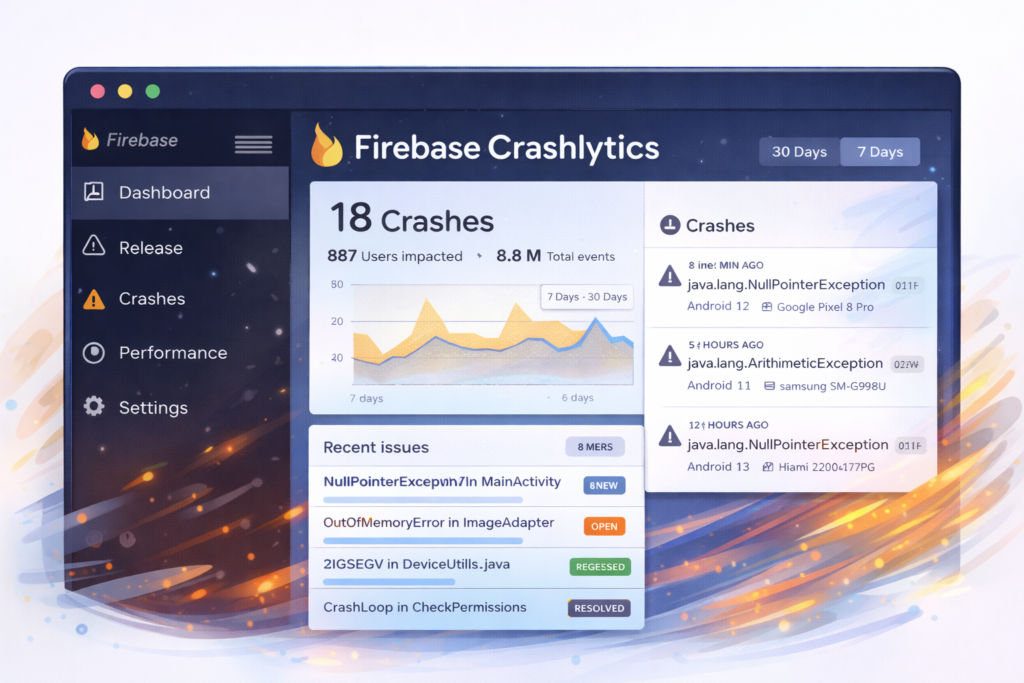
For issues you can’t reproduce locally, teams are getting better at remote debugging. Firebase Crashlytics with proper logging, App Center for distribution with built-in crash reporting, and better error tracking in production means you can often identify and fix issues without reproducing them locally.
The key insight: Your iPhone 16 Pro and Pixel 9 don’t represent your users. Test on what they actually use, and test early.
Unclear Requirements and Scope Creep
Here’s the biggest time-waster that has nothing to do with code: building the wrong thing, or constantly rebuilding things as requirements change.
You implement a feature based on a design mockup and some brief notes. Partway through, you discover the mockup doesn’t cover error states. You make your best guess. Later, you learn your guess was wrong and need to redo it. Then someone realizes the feature needs to work offline, which wasn’t mentioned anywhere.
How devs are fixing it: The best teams I know have a simple rule: no implementation without a spec. Not a 20-page document—a one-page doc that answers: What are we building? Why? What are the success criteria? What are the edge cases? What’s explicitly out of scope?
The spec takes 30 minutes to write. It saves hours of rework. More importantly, writing it usually surfaces questions and assumptions that would have caused problems later.
Some teams do a quick “pre-implementation review” where the developer reads the spec, looks at designs, and comes back with questions before writing any code. This 15-minute conversation often prevents days of wasted work.
The key insight: Every hour spent clarifying requirements saves 5-10 hours of implementation and rework. The fastest code to write is code you don’t have to rewrite.
Fragmented Communication and Context Hunting
How much time do you spend hunting for information? Checking Slack, searching JIRA, looking for that design file, finding the API documentation, locating the decision that was made in some meeting you weren’t in.
This invisible overhead adds up fast. A few minutes here, a few minutes there—but it happens dozens of times per day and completely fragments your focus.
How devs are fixing it: The solution isn’t a better tool – it’s better information architecture. Teams that solve this problem have clear conventions:
All technical decisions go in one place (many teams use ADRs—Architecture Decision Records—in their repo). All design files are linked in the relevant tickets. API documentation is kept in the repo, not in external docs that get out of date. Each feature has a clear owner who’s the go-to person for questions.
Some teams maintain a simple wiki with “Start here” pages for common questions: How do I set up the project? Where are the API docs? How do I test payment flows? Where are our coding standards?
The goal isn’t perfect documentation — it’s reducing the “where do I find Y?” question from 10 minutes of searching to 30 seconds.
The key insight: If everyone on the team asks the same question twice, document the answer once in a findable place. The ROI is immediate.
Flaky Tests and CI Pipeline Issues
You push code. CI fails. 😱 You check the logs — it’s a test that randomly fails sometimes. You restart the build. It passes. You just wasted 20 minutes and eroded trust in your test suite.
Flaky tests are insidious because they train developers to ignore test failures. Once that happens, your entire test suite loses value.
How devs are fixing it: Zero tolerance for flakiness. When a test flakes even once, it gets fixed or disabled immediately. Never restart a flaky test hoping it passes—fix it.
Common causes of flakiness in mobile tests: timing issues (waiting for animations or network calls), order dependencies between tests, shared state that doesn’t get cleaned up, and tests that depend on external services.
Teams that solve this usually invest in better test infrastructure: proper test fixtures, deterministic clocks and schedulers, mock network responses, and isolated test data. They also run tests multiple times locally before pushing to catch intermittent failures early.
For CI pipeline issues, the fix is monitoring and alerts. Set up notifications when builds are taking longer than normal, when certain steps fail repeatedly, or when cache hit rates drop. Treat CI health as a team priority, not an afterthought.
The key insight: A flaky test is worse than no test. It wastes time and destroys confidence. Fix it immediately or remove it.
Manual Deployment and Release Processes
I still see teams where releasing an app involves a checklist of 15 manual steps, takes two hours, and requires someone senior because they’re the only one who knows all the gotchas.
This is pure waste. Every release takes hours, creates anxiety, and creates single points of failure on your team.
How devs are fixing it: Full automation of the release process. Not partial automation—full automation. A single command or button that does everything: version bumping, changelog generation, building release artifacts, running the full test suite, uploading to app stores, creating git tags, notifying stakeholders.
Tools like Fastlane make this achievable in a few days of setup work. Yes, there’s an upfront investment. But once it’s done, releases go from a half-day ordeal to a 5-minute task anyone can do.
Some teams go further and automate the entire deployment pipeline: merge to main triggers tests, successful tests trigger a beta deployment, manual approval triggers production release. Releases become routine instead of events.
The key insight: If your release process takes more than 15 minutes of human time, you’re wasting hours every release cycle. Automate it completely.
The Time Tax Compounds
The insidious thing about these time-wasters is how they compound. Slow builds make you context-switch more. Poor communication leads to building the wrong thing. Unclear requirements cause rework. Flaky tests waste time on every push. Manual deployments create bottlenecks.
A team experiencing all these problems simultaneously isn’t 50% less productive — they’re 70% or 80% less productive. Fixing them doesn’t just save time; it restores momentum and makes development actually enjoyable again.
The good news? You don’t need to fix everything at once. Pick the biggest pain point—the one that makes your team groan the loudest—and fix that first. Build momentum. Then tackle the next one.
Because the real win isn’t just saving time. It’s creating an environment where developers spend their energy solving interesting problems instead of fighting their tools and processes. That’s when great apps get built.