
They look like a chatbot feature. They’re actually something closer to a no-code app builder — and if you’re a developer drowning in repetitive AI interactions, they’re worth a serious look.
I’ll be honest: when I first saw Google announce Experimental Gems inside Gemini, I assumed it was just a rebrand of their existing Gems feature. Give Gemini a persona, some instructions, call it a day. I nearly skipped right past it.
That was a mistake. Experimental Gems — powered by a Google Labs tool called Opal — are something meaningfully different. They’re not chatbot personas. They’re closer to interactive mini-apps: things with actual structured workflows, multiple steps, and interfaces you can share with your team. You build them entirely in plain English.
No code. No deployment. No infrastructure to manage. You describe what you want, and Opal generates a working app.
What actually changes here
Let me explain why this is different from just writing a very detailed system prompt.
When you create an Experimental Gem, Opal converts your description into a visible step graph — a structured list of stages that you can inspect, edit, reorder, or tweak individually. It’s not a black box. You can see the logic. You can change it without rewriting everything from scratch.
It’s the difference between having a smart assistant who just improvises every time, and having one who follows a documented process you can actually review and improve.
That distinction matters a lot for developers. We like inspectable systems. We like things we can version, adjust, and hand to teammates with confidence that they’ll get consistent results.
The developer use cases that actually make sense
The obvious question is: okay, but what would I actually build with this?
The sweet spot is tasks that are too complex for a one-liner prompt, but too narrow and repetitive to justify building a full app. Every development team has a pile of these.
Here are the ones I’d build first:
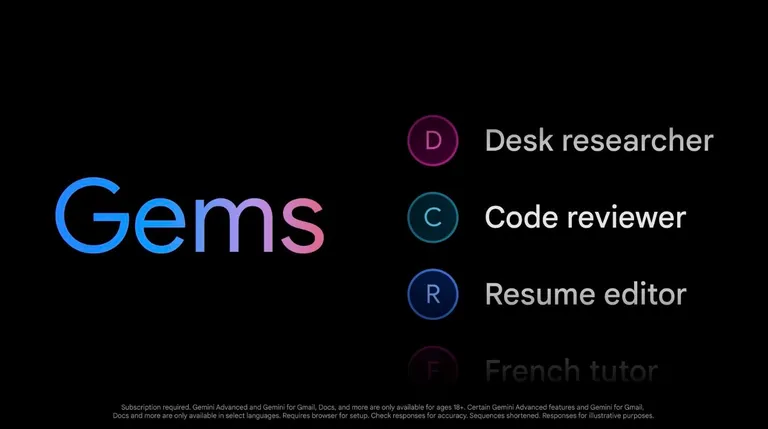
Code review assistant
Paste a function or a diff. Get structured feedback: potential bugs, complexity issues, style violations, suggested refactors — calibrated to your team’s standards, not generic advice.
PR description writer
Feed it a list of changed files or a git diff. It writes the pull request description — context, what changed, why, and what to test. The kind of thing everyone rushes through at 5pm.
Stack trace interpreter
Paste a raw error log. It identifies the root cause, maps it to common fix patterns for your stack, and returns a structured summary with ranked hypotheses and suggested next steps.
API documentation generator
Drop in a schema or function signatures. It writes the OpenAPI docs, example payloads, and error code descriptions — the documentation that always gets deprioritized.
Bug report formatter
Paste a messy user complaint or raw logs. It extracts reproducible steps, estimates severity, guesses at root cause, and outputs a clean report ready for your tracker.
None of these are revolutionary tasks. They’re just things that eat time and benefit from consistency. The point of a Gem isn’t to do something impossible — it’s to take something you’d normally do manually, over and over, and package it so anyone on your team can run it in seconds.
The team angle is where it gets interesting
I’d actually argue the biggest benefit isn’t personal productivity. It’s what happens when you share a well-crafted Gem with your team.
A senior engineer who builds a solid “microservice design review” Gem has essentially packaged their architectural instincts into something a junior engineer can run independently. A DevOps person who builds a “post-incident log analyzer” Gem has turned a manual, expert-intensive task into a self-service workflow anyone on-call can use at 2am.
That’s knowledge transfer that actually sticks. Not a wiki page nobody reads. A tool people actually run.
Gems are also remixable. If your teammate built a documentation Gem tuned for REST APIs, you can copy it, tweak the output format for GraphQL, and save a new variant — all in plain English, all in minutes.
What you should know before diving in
A few honest caveats, because this is still experimental.
Right now, Experimental Gems only work in the Gemini web app, and only in English. Enterprise Workspace accounts and mobile aren’t supported yet. The feature lives in Google Labs, which means it can change, break, or disappear without notice.
Data you send through Opal-powered Gems isn’t governed by the same controls as standard Gemini. Before running anything sensitive — client code, proprietary systems, personal data — check the current data handling policy.
And the usual AI caveats apply: verify the outputs, especially for anything security-adjacent or architecturally significant. Treat it as a strong first draft, not a finished product.
Also worth saying: Gems live inside Gemini, not inside your stack. For anything customer-facing, SLA-bound, or needing real integration with your systems, you still want to build properly via the Gemini Developer API. Experimental Gems are a prototyping and team-enablement layer — not a production deployment.
Is it worth trying now?
Honestly, yes — especially if you’re already using Gemini regularly. The barrier to building a Gem is low enough that you can try one in the time it takes to write a good system prompt. If it works, you’ve got a reusable tool. If it doesn’t, you’ve spent twenty minutes.
The developers who figure out how to build good Gems — specific, well-structured, genuinely useful to their team — will have a real head start as this matures. Right now it’s experimental. It’ll graduate eventually, and when it does, the institutional knowledge your team has built through Gems will travel with it.
It’s not magic. It’s just a smarter way to stop doing the same thing over and over again.